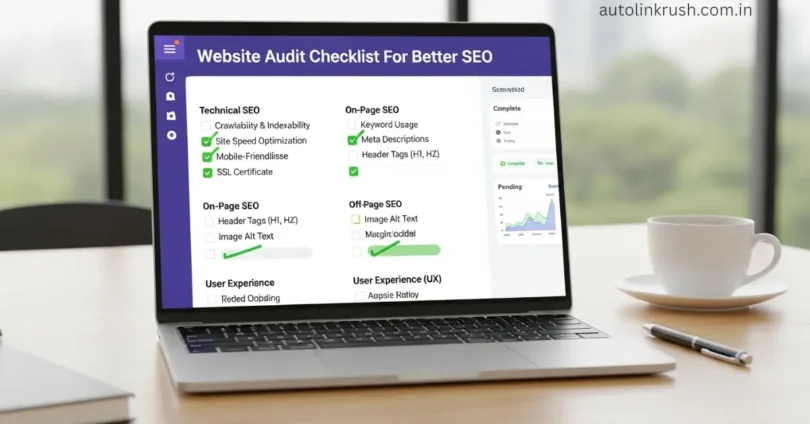
A website audit checklist for better SEO helps you understand what is working on your website and what needs improvement. It is like a full health check of your website. This checklist shows you how search engines see your site and how users experience it.
When you follow a proper website audit step by step, you can fix SEO mistakes, improve website performance, and increase your chances of ranking higher on Google in a natural way.
Website Accessibility and Indexing Check
This step checks if search engines can access, read, and index your website without any problem.
- Make sure the website is open for search engines to crawl
- Check the robots.txt file for blocking errors
- Ensure important pages are not marked as noindex
- Submit and review the XML sitemap in Google Search Console
- Confirm that only correct pages are indexed
- Fix crawl errors shown in Search Console
If search engines cannot access or index your website properly, even good content will not rank.
Domain and URL Structure Review
This step checks if your domain name and URLs are clean, simple, and easy for search engines to understand.
- Use a short and easy-to-remember domain name
- Keep URLs simple and readable
- Avoid using random numbers or special characters in URLs
- Use hyphens (-) instead of underscores (_)
- Add main keywords naturally in URLs
- Keep URL structure consistent across the website
A clean domain and well-structured URLs help search engines crawl faster and improve SEO rankings.
Website Speed and Performance Analysis
This step checks how fast your website loads and how well it performs for users and search engines.
- Test website speed on desktop and mobile
- Reduce page loading time as much as possible
- Optimize large images to improve speed
- Enable browser caching
- Minify CSS, JavaScript, and HTML files
- Use a fast and reliable hosting service
A fast website improves user experience and helps search engines rank your pages higher.
Mobile-Friendliness Evaluation
This step checks how well your website works and looks on mobile devices.
- Make sure the website uses a responsive design
- Check layout on different mobile screen sizes
- Ensure text is easy to read without zooming
- Buttons and links should be easy to tap
- Avoid pop-ups that block mobile screens
- Check mobile page loading speed
A mobile-friendly website improves user experience and helps achieve better SEO rankings.
Core Technical SEO Inspection
This step checks the basic technical elements that help search engines understand and rank your website correctly.
- Check proper use of canonical tags
- Ensure correct setup of robots.txt file
- Fix crawl and indexing technical errors
- Use HTTPS for website security
- Check website structure and internal paths
- Ensure there are no redirect loops
Strong technical SEO helps search engines crawl, index, and rank your website without problems.
On-Page SEO Content Review
This step checks if your page content is helpful, clear, and properly optimized for search engines.
- Use main keywords naturally in the content
- Write clear and useful content for users
- Optimize title tags and meta descriptions
- Place keywords in the first paragraph
- Use short paragraphs for better readability
- Avoid keyword stuffing
Well-optimized content helps search engines understand your pages and improves ranking potential.
Image Optimization Audit
This step checks if website images are optimized for fast loading and better search visibility.
- Compress images to reduce file size
- Use proper image formats like JPG or WebP
- Add clear and relevant alt text to images
- Avoid using very large images
- Use descriptive image file names
- Ensure images load properly on all devices
Optimized images improve page speed, user experience, and overall SEO performance.
Internal Linking Structure Check
This step checks how pages on your website are linked to each other.
- Link important pages from relevant content
- Use clear and meaningful anchor text
- Avoid broken internal links
- Make sure every page has at least one internal link
- Do not overuse internal links on one page
- Create a logical linking structure
A strong internal linking structure helps users and search engines find and understand your content better.
External Links and Broken Links Audit
This step checks all outgoing links and broken links on your website to ensure they work properly.
- Check all external links for accuracy
- Remove or update broken external links
- Ensure external links point to trustworthy websites
- Fix broken internal links as well
- Use tools to find broken links automatically
- Avoid linking to low-quality or spammy sites
Working external links improve user trust and prevent SEO penalties from broken links.
Future of Website Audit Checklist For Better SEO
This step looks at how website audits will change and improve SEO in the future.
- Use AI tools to find SEO issues faster
- Automate regular website audits for accuracy
- Focus on Core Web Vitals and user experience improvements
- Optimize for voice search and AI-driven search results
- Monitor evolving search engine algorithms
- Track new SEO trends like mobile-first indexing
Future website audits will be smarter, faster, and more focused on both users and search engines for better SEO results.
Common FAQs about Website Audit Checklist For Better SEO
Some FAQs of Website Audit Checklist For Better SEO:
What is a website audit checklist?
It is a list of steps to check your website’s SEO, performance, and user experience.
How often should I perform a website audit?
Ideally, every 3–6 months or after major website updates.
Can a website audit improve conversion rates?
Yes, by fixing usability and speed issues, visitors are more likely to take action.
Are free SEO tools enough for a full website audit?
They help, but paid tools provide deeper insights and advanced analysis.
What is the most common issue found in website audits?
Broken links, slow page speed, and missing meta tags are very common.
Does content quality affect a website audit?
Yes, high-quality, original content improves SEO and overall audit results.
Can a website audit help with mobile traffic?
Absolutely, it identifies mobile usability issues and helps optimize for mobile users.
How long does a full website audit take?
It depends on website size, usually from a few hours to a couple of days.
Do I need technical knowledge for a website audit?
Basic understanding helps, but many tools provide simple step-by-step guidance.
Will a website audit guarantee higher rankings on Google?
No guarantee, but it fixes issues that improve chances of better SEO performance.
Conclusion
A website audit is more than just fixing errors it is a way to understand how your visitors and search engines experience your site. By regularly reviewing your website, you can discover hidden opportunities, like pages that can be updated for more engagement or new keywords to target.
Audits also help you plan future content strategies, improve site structure, and stay ahead of competitors. In short, a smart website audit not only improves SEO but also strengthens your brand’s credibility and online presence.